One year ago, the original Windsurf team launched Tab as part of Wave 5, with 4 predictive capabilities routed to on every key press:
- Autocomplete - Standard code suggestions as you type
- Supercomplete - Predicts your next multi-line edits
- Tab to jump - Navigate between files with a tab keypress
- Tab to import - Automatically add import statements
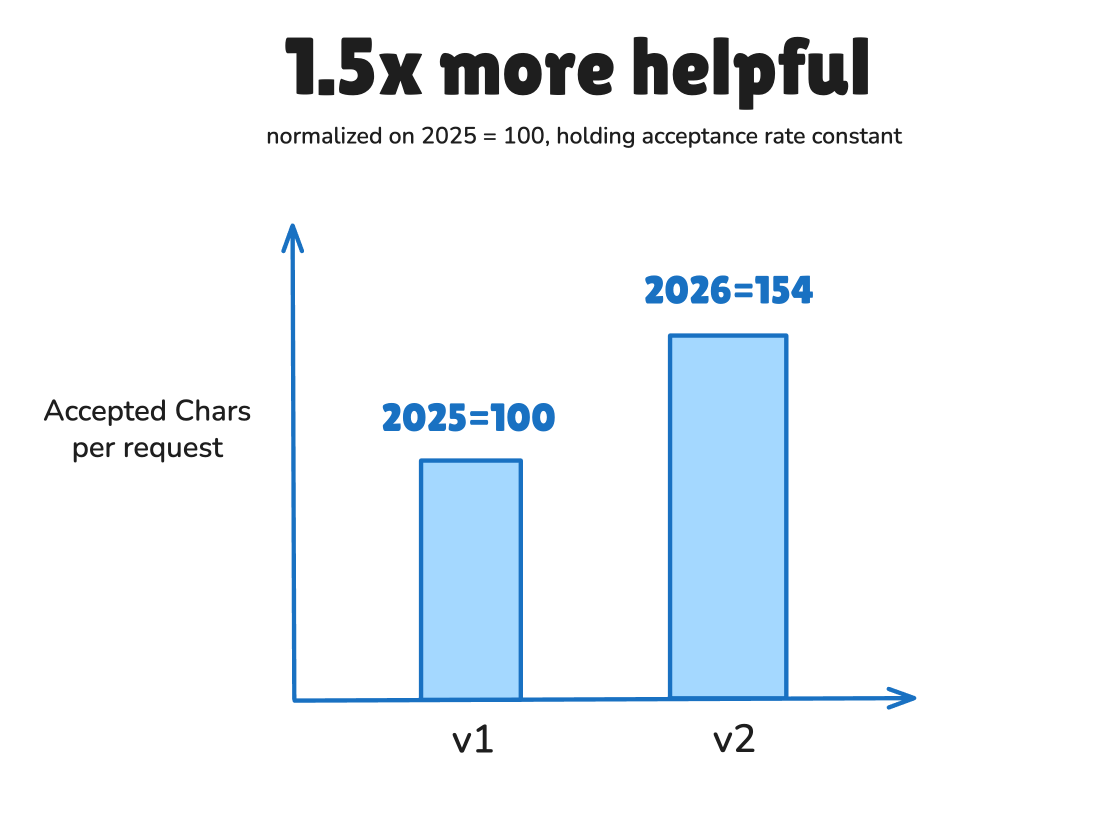
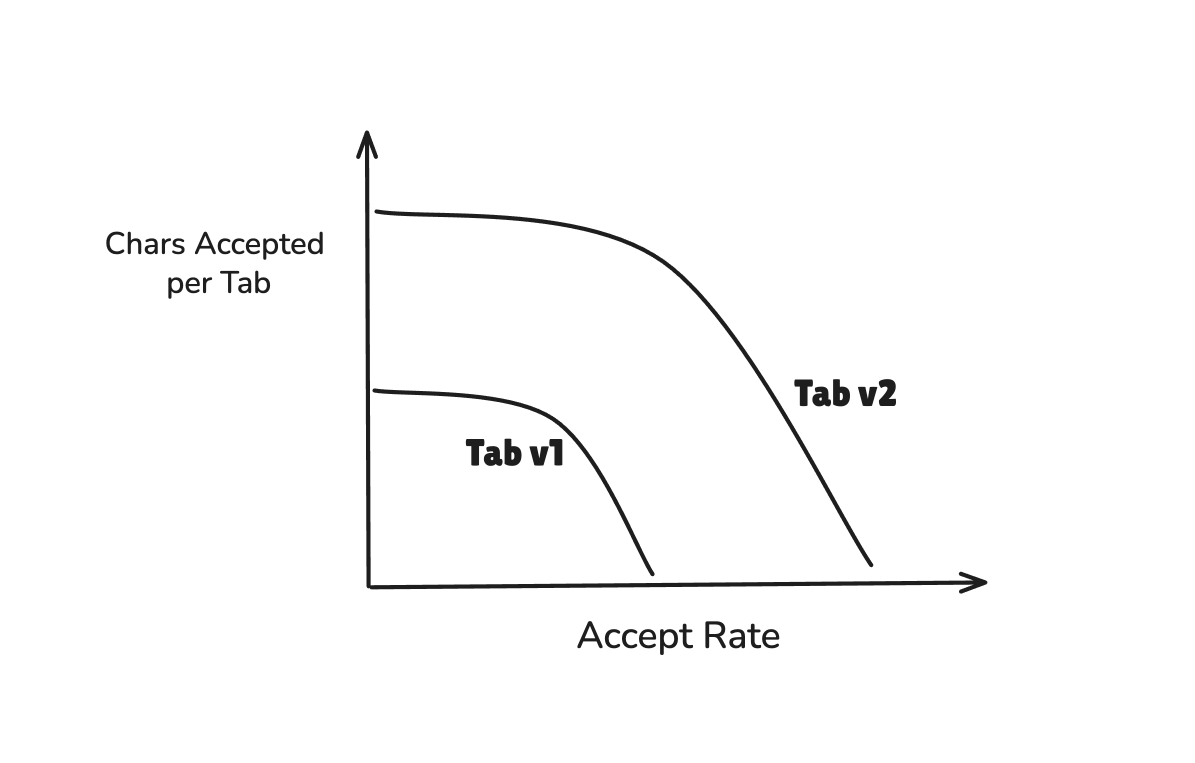
This feature was a VERY well received v1, but was not well maintained after launch for understandable reasons. With the benefit of hindsight and billions of predictions made, we have significantly improved the underlying Tab model and the context engineering/data engineering pipeline, leading to direct Pareto improvements across all our metrics while holding acceptance rate constant, with the headline being an average 54% increase in characters per predict:
But when testing Tab among our customers, we realized that people simply don’t agree on what model was better — because people have fundamentally different preferences for autocomplete behavior.
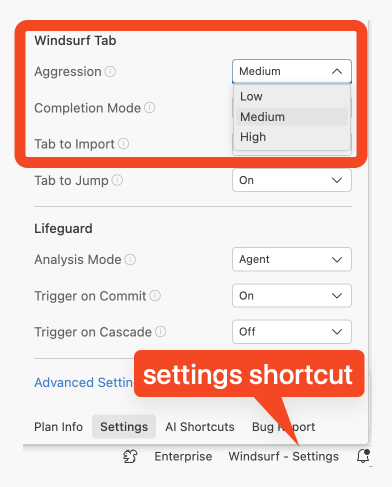
This is why we’re also proud to be the first team to offer variable “aggression” in Tab (Yes it’s a weird name, we’ll explain). You can access it in the bottom right settings panel of Windsurf:
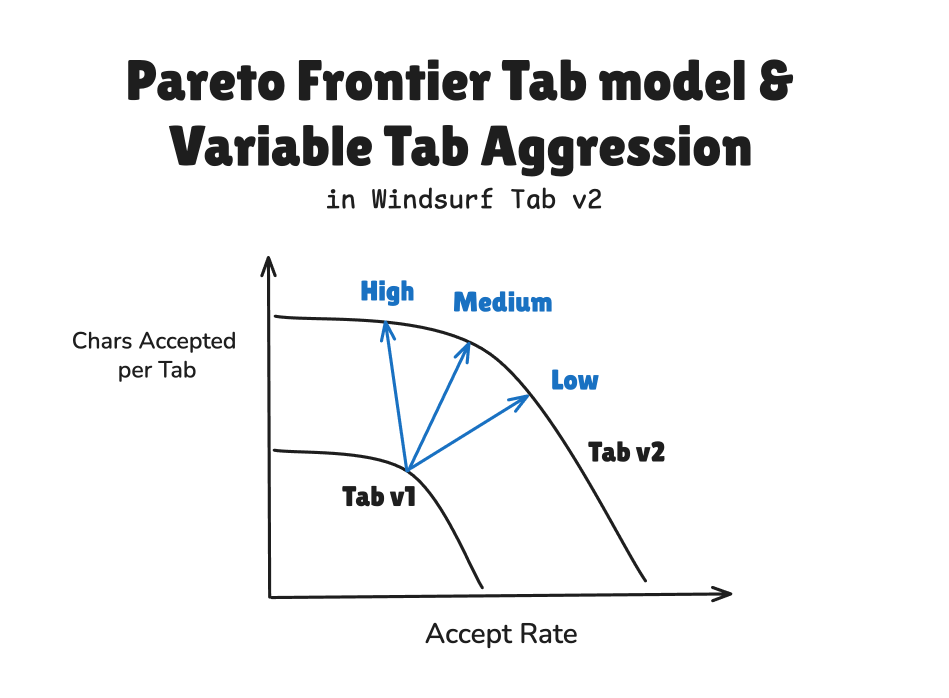
Overall the Pareto Frontier improvements and the variable Aggression parameters addup to a Tab 2.0 that we’ve been testing over the past few months and are excited to announce today. This technical writeup builds to this full picture:
Context Engineering for Tab
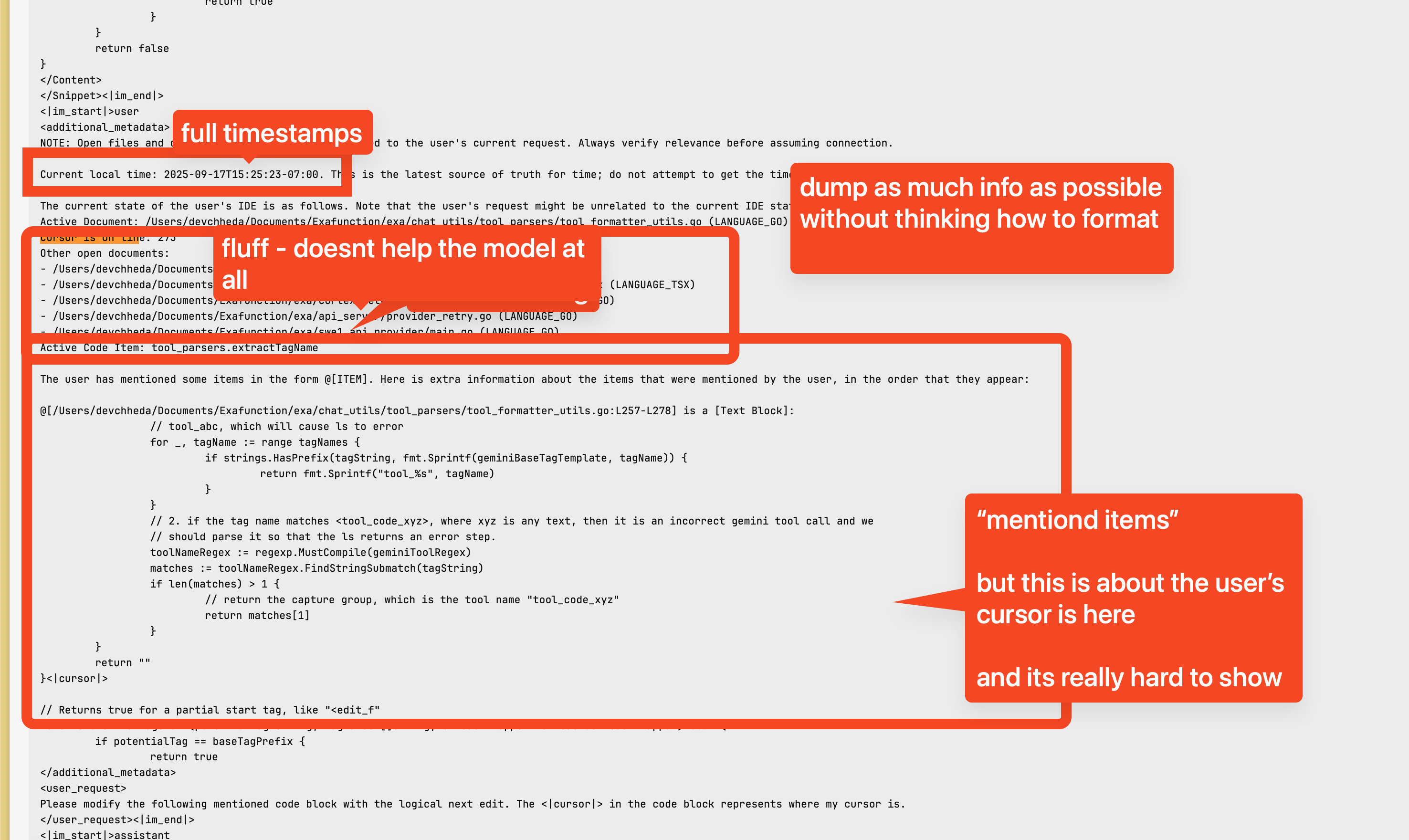
Dedicated AI Autocomplete models have a decades-long history dating back to the days of Kite and Tabnine, but since GPT-3, LLMs have also “eaten” the autocomplete space. We happen to have particular expertise in putting Code LLMs to work, and when we inherited the Tab codebase, we found and implemented some basic fixes, starting the simplest of all, a completely unoptimized system prompt copied from Cascade (that we no longer use, so this is mostly historical interest):
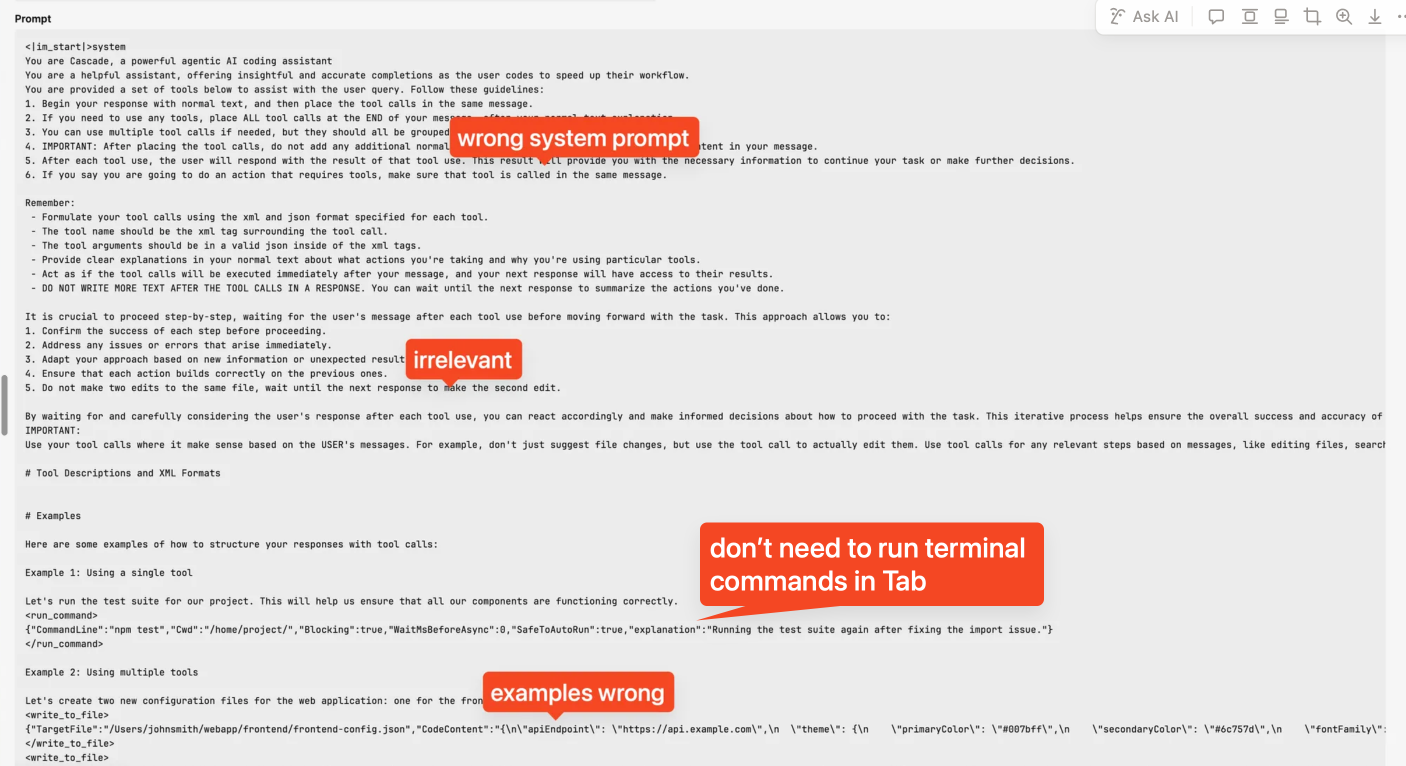
Doing proper prompt engineering on Tab directly resulted in a 76% reduction in the system prompt prefix length, which isn’t rocket science, but directly improved cost, time to first token and model performance for obvious reasons like the fact that we can delete all unused tool call prompts and examples. In industry parlance this is now known as context poisoning — but that’s only the most egregious of the issues we had to address.
There’s a lot of smaller optimizations to do when you really look at the data and try to make every token count, and since this is a painful process at scale, it really helped to bring Cognition’s in-house tooling to bear on the problem. More on those in a future writeup (please prompt us on socials), but it helped us spot issues like fixing how we express the position of the user’s cursor to the model and add related file context to improve the quality of the suggested code.
New Goal: Aggression
In the Coding model industry, most Tab model marketing has generally focused on accept rate: the % of time that a prediction is made and accepted. Higher accept rate is assumed to be more valuable and accurate predictions, lower means your predictions are useless.
What is less discussed is that it’s possible to have an accept rate that is too high: trivially, the hidden parameter is frequency of prediction based on confidence level, and if you wanted to artificially manipulate the accept rate higher, you could simply jack up minimum confidence level and predict less frequently, at the risk of making a “Captain Obvious” tab model that only shows up once an hour. Tab needs to be always-on, so we decided that was a non-starter, and resolved to hold prediction frequency constant (barring debouncing).
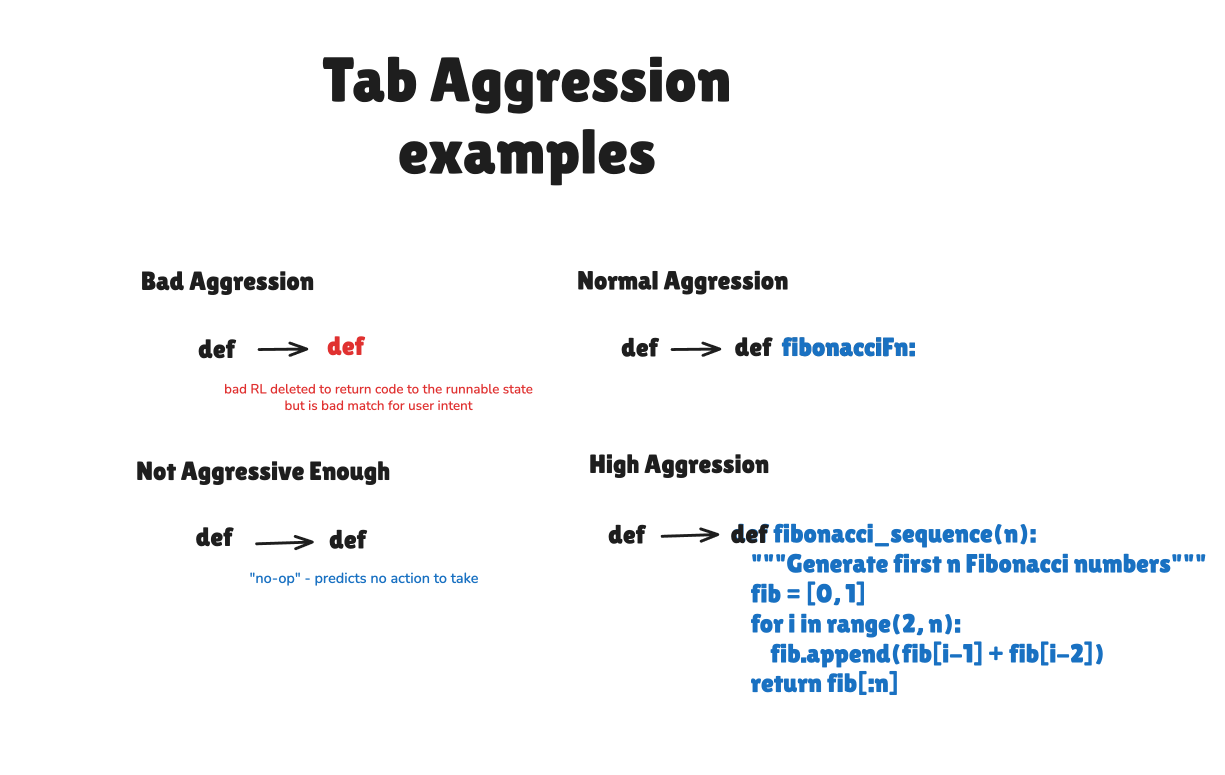
As we explored this design space, we realized the true measure of utility of a Tab model is how much total code it helps you write (or delete), saving you precious keystrokes. This does involve the accept rate, yes, but it is ALSO the amount of code predicted in each call. This is an interesting optimization problem in itself: the more “risk” you take in predicting more code, the more likely you’ll do something the user doesn’t want and risk rejection, but if you take “good risks” then there’s a narrow golden path where you both predict more code AND improve the chances of acceptance. You have around 1 billion keystrokes left in your lifetime, and our new goal is to save as many of them as possible by collapsing them into every Tab press in Windsurf, not to play accept rate proxy games.
Why do we call this aggression? This is what people naturally call it in their own words — particularly it came from user interviews of what they call this behavior when it goes wrong. Simply put, a Tab model that is “too aggressive” might try too hard to restore code to a clean working state - a simple RL failure mode is looking at a user typing def in a Python file and predicting def to return the file to a runnable state. This is a strong assumption in most post-training of all code LLMs… and often inappropriate for a Tab model. Even today industry leaders are writing that “The beauty of AI writing code is that it is a nearly perfect match of probabilistic inputs and deterministic outputs: the code needs to actually run, and that running code can be tested and debugged”. This is locally not true in one particular case — for all Tab models. This is a reward hack that is easily adjusted for, but a thousand more examples of show up in every situation.
Training Tab v2
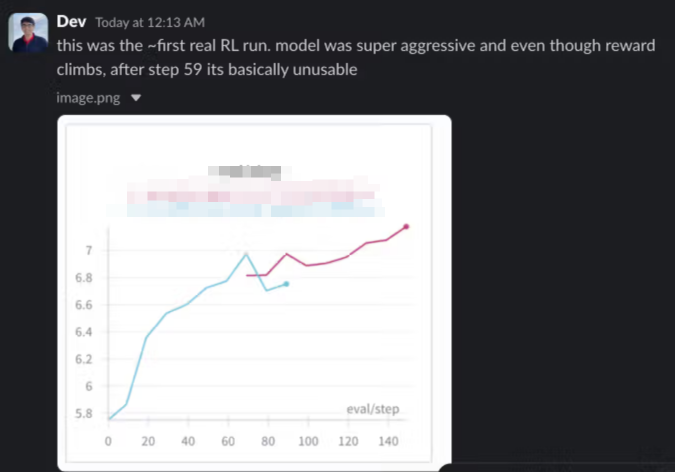
Fixing the context pipeline directly helped inform how we wanted to set up the data pipeline for Tab v2. This allowed us to create a more efficient and effective training process that better captures the nuances of user behavior and coding patterns. We then proceeded to start RL for the new Tab model, which effectively amounted to the first real production usage the RL infrastructure we later used for SWE 1.5. We basically discovered the flaws with training for “improved aggression” from the start:
And entered a cycle of iterating on the reward function and training loops to better capture the concept of ” high quality aggression” while inventing new evals across our training data to express high-taste developer intuition of Tab output.
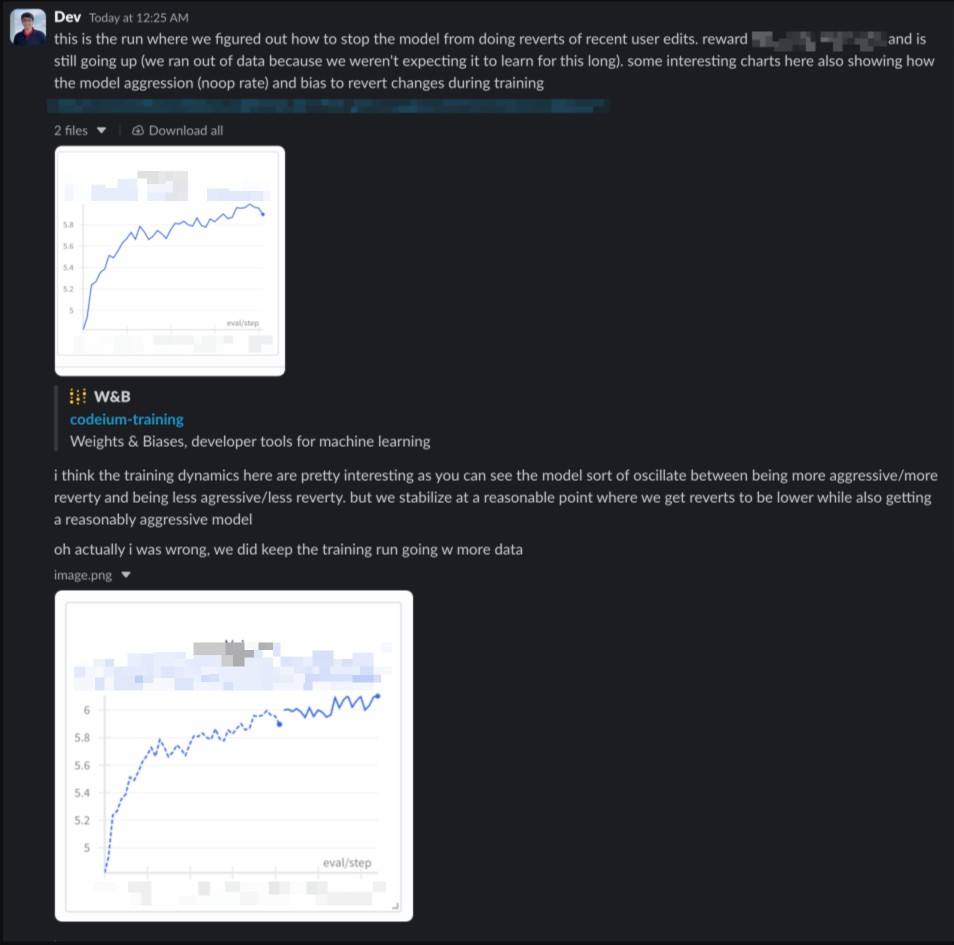
With extensive A/B testing on our user base, we validated that we had accomplished a Pareto improvement in terms of user success over Tab v1.
Discovering Aggression Levels
When you A/B test different models for customers at arms length, you might get small quantitative differences, but qualitative interviews tell a closer story. It is hard to “vibe” the prediction quality difference on an anecdotal basis because few people remember every Tab completion, but one common through-line we found is that the exact same model was sometimes called “too aggressive” by some people, and “not bold enough” by others.
And then we realized: why do we have to choose the median level for you? With all the evals and data we have, we can parameterize this!
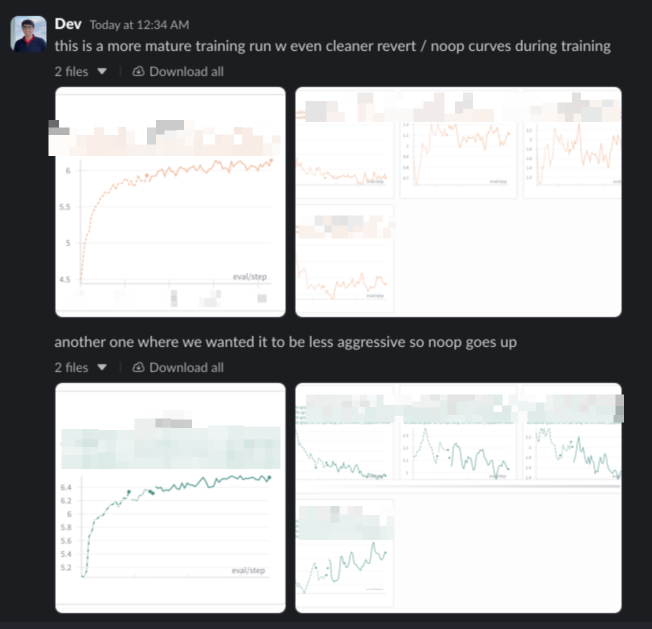
So instead of a one-size-fits-all approach, we can offer a spectrum of aggression levels — tailoring the experience to each user’s preference.
This is what we have launched today in Windsurf. Download now and try it out!